How to Keep Your Wedding Website Private (Google, Passwords, Links)
How to keep your wedding website private from Google, what noindex does and doesn't do, whether you need a password, and what to keep off the site. Honest about what Wedding Plan can and can't do.
A wedding website holds your names, your date, where you'll be and when. Most couples are happy for guests to see that. Fewer want it turning up when a coworker, an ex or a stranger types their names into Google. This guide explains how to keep your wedding website private from Google, what a password would and wouldn't add, and the simple habits that matter more than either.
Disclosure: Wedding Plan is our product. We say plainly below what it can and can't do. The advice works for any builder.
The short version
- Hidden from search stops strangers finding the site by typing your names. It does not lock the page.
- A password locks the page, but guests forward the password along with the link.
- The real protection is what you leave off the site and who you send the link to.
- On Wedding Plan, couple sites are hidden from search engines. There is no password and no custom domain.
Public, searchable and password-protected: three different things
| Who can open it | Can strangers find it? | |
|---|---|---|
| Public and searchable | Anyone | Yes, by searching your names |
| Public but not searchable | Anyone who has the link | Only if someone shares the link |
| Password-protected | Anyone with the link and the password | They may find the login page, not the content |
Most wedding websites, on any builder, sit in the middle row. That is enough for most couples, as long as the content is chosen with care.
Keeping your wedding website private from Google: what noindex does
Every couple website on Wedding Plan carries this tag in its page code: <meta name="robots" content="noindex, nofollow">. We checked it on our demo site, weddingplan.online/anna-and-james, while writing this. Couple sites are also left out of our sitemap, the list of pages we hand to search engines.
Here is what the tag does, in the terms Google documents:
- It asks search engines not to list the page. When Google crawls a page with noindex, it leaves the page out of its search results, even if other sites link to it.
- "nofollow" asks them not to follow the links on it. Links from your site don't pass anything on.
And what it doesn't do:
- It doesn't lock anything. Anyone with the link can still open the site.
- It's a request, not a wall. Google and the other major search engines respect it. Tools that don't follow the rules can still read the page.
- It doesn't work instantly. A search engine has to visit the page to see the tag. If a page was listed before, it disappears after the next visit, not the same day.
- It doesn't cover copies. If someone screenshots your site or pastes your details into a public post, that copy is outside your control.
So "how do I keep my wedding website off Google?" has a simple answer on Wedding Plan: you don't need to do anything. The harder question is who gets the link.
Should a wedding website be private?
Hidden from search, yes. That's the sensible default for almost everyone. Fully locked, usually not. A password adds a step for every grandparent on a phone, and the password travels with the link anyway. Guests forward the whole message: "Here's the site, the password is sunshine2027."
A password makes the most sense when the site must hold something truly sensitive. In that case, the better fix is usually to take that thing off the site.
Wedding Plan has no password: what to do instead
Wedding Plan has no password option and no custom domain. Your site lives at weddingplan.online/your-names. Here is what you can do instead, and in practice it covers most of what couples want a password for.
1. Keep sensitive details off the site
This matters more than any setting. See the list in the next section.
2. Use personal links and "Only guests on the list"
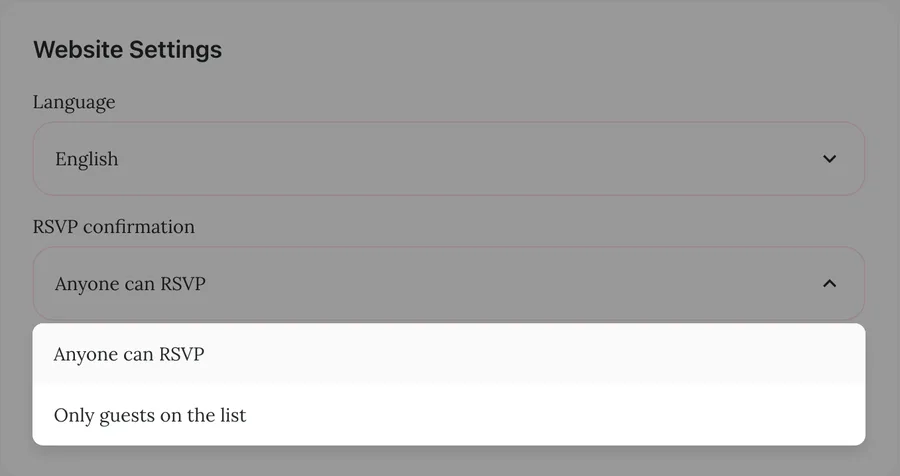
Send each guest their own link. It opens an invitation with their name on it, and their reply lands on their entry in your guest list. Then switch the RSVP setting to Only guests on the list. People who aren't on your list can't RSVP, so a forwarded link can't add new guests. Read more about the personalized wedding website link for each guest and about RSVPs on a wedding website.
3. Hide whole sections
Show on website has a switch for each section: wishes, RSVP, gift box, photo album, love story, wedding party, video, events, music and effects. A hidden section keeps its content, so you can turn it back on later. Two are worth a thought for privacy. Wishes are shown on the site to everyone who opens it. The gift box shows your bank QR code.
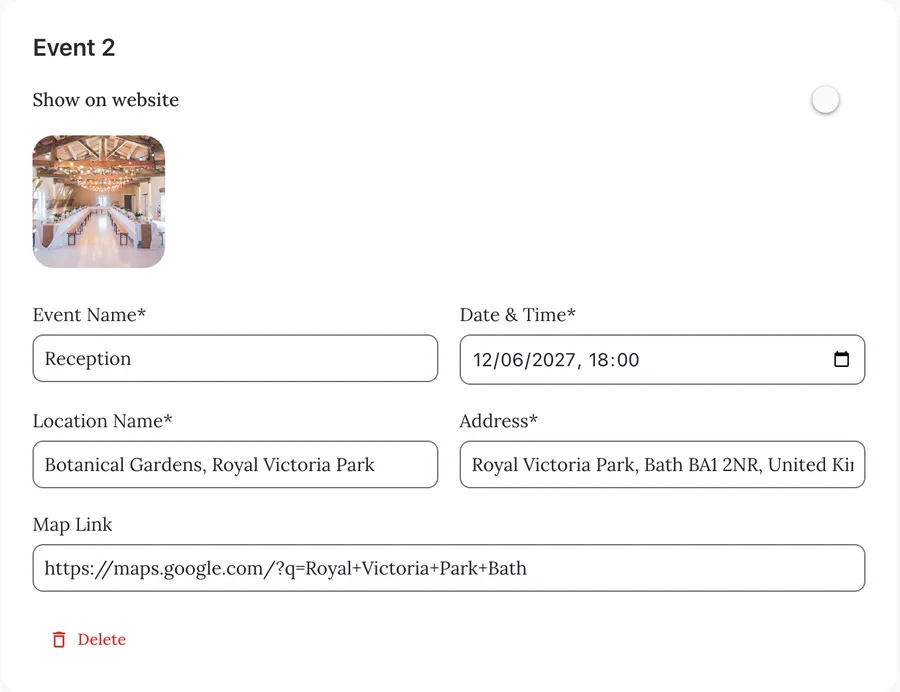
4. Hide an event from the public list
Each event has its own Show on website switch. Turn it off and the event is no longer listed on your website. Guests you invited to that event can still open their own invitation and RSVP to it. Handy for a small family ceremony next to a bigger party.
What not to put on a wedding website
Treat the site as if anyone could read it, because anyone with the link can. Leave these off and share them privately:
- Your home address, or the address where you'll be staying.
- "Nobody will be home" dates, like honeymoon dates, and your travel plans.
- Door codes, gate codes, Wi-Fi passwords and where the spare key is.
- Phone numbers and emails of guests, family or vendors.
- Children's full names and photos, if you'd rather not share them.
- Anything about guests they haven't agreed to: seating notes, plus-one names, dietary or health details.
For the full list of what does belong there, see what to put on a wedding website.
Forwarded links: the part no setting fixes
The biggest leak isn't Google. It's a guest forwarding the link to a group chat. A few habits help:
- Send the link in private messages, not in public posts or stories. If you want to celebrate online, post a photo, not the link. More tips in how to share your wedding website.
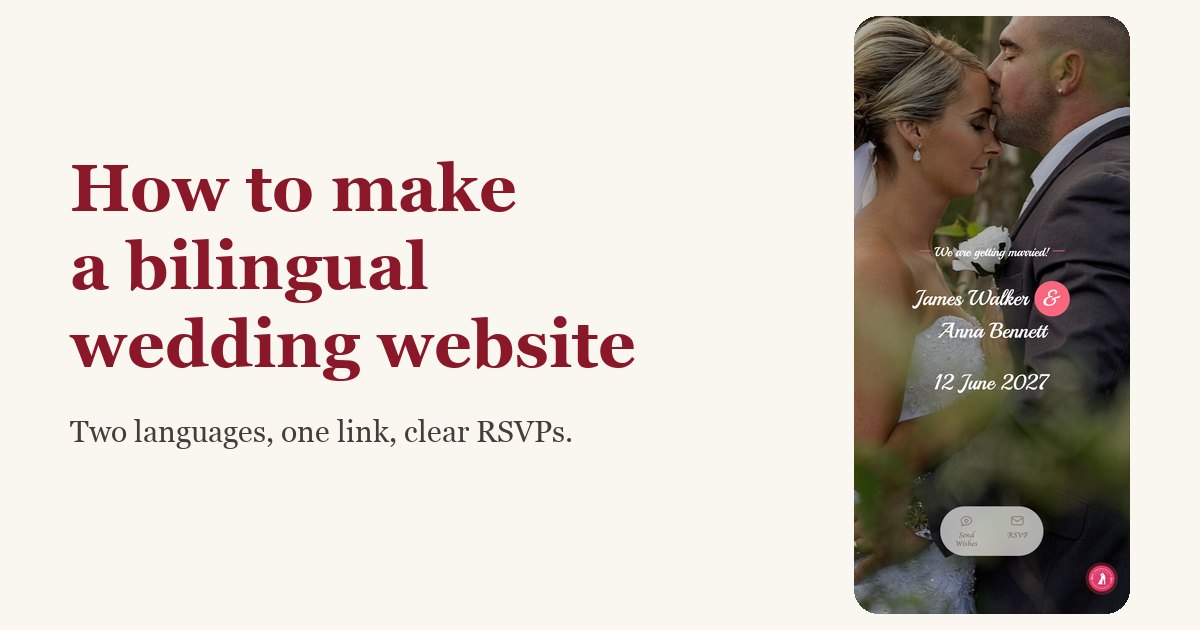
- Remember the link preview. When the link is pasted into a chat, the preview shows your names, your wedding date and your couple photo. Pick a cover photo you're happy for anyone to see.
- Ask close family not to forward personal links. A personal link opens the invitation in that guest's name, and whoever has it can reply for them.
Removing the site after the wedding
Once the thank-you notes are sent, you may want the site gone. On the Wedding Plan web app, open your website's overview and scroll to the bottom. There you'll find Delete Website. The app asks you to confirm, then removes the site with its guest list and wishes, and the address stops working. You can't undo it, so save any photos and wishes you want to keep first. At the time of writing, this button is on the web app, not the phone app.
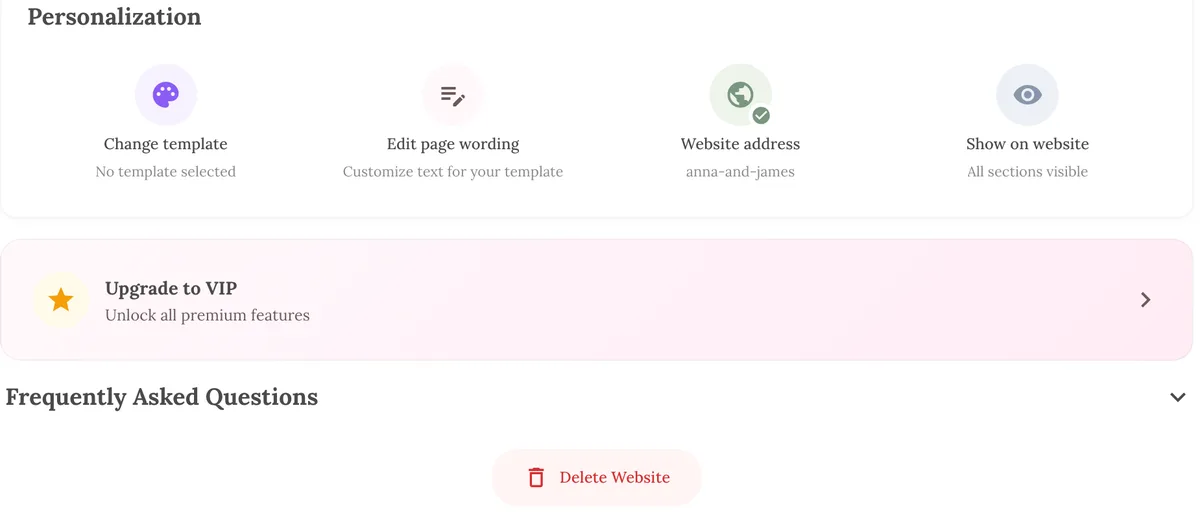
Changing your web address is a softer option. The old address stops working, so old links and QR codes lead nowhere, while your site stays available at the new one.
FAQ
Can I password protect my wedding website on Wedding Plan?
No. There's no password option. Use personal links with "Only guests on the list", hide sections or events you don't want everyone to see, and keep sensitive details off the site.
Will my wedding website show up on Google?
Couple sites on Wedding Plan carry a noindex tag and aren't in our sitemap, so Google is asked not to list them. If you build elsewhere, check the builder's settings for a "hide from search engines" option.
Can someone find my site if they know my name?
Not through a search engine that respects noindex. Someone who already has the link, or guesses your web address, can open it. Choose an address that isn't just your full names if that worries you.
Next steps
Privacy is one part of a good wedding website. Decide what goes on the site, then set up your wedding guest list so personal links do the rest. If you haven't started yet, try our free wedding website builder.