Wedding Website Travel & Accommodations Page: What to Include (+ Template)
What to put on your wedding website's travel and accommodations page: venue directions, hotel room blocks and cut-off dates, airports, parking, shuttles and the trip home, plus a copy-ready template and the most common mistakes.
Out-of-town guests read your wedding website differently from everyone else. They aren't just checking the date. They're planning a trip: where to fly into, where to sleep, whether they'll need a car, and how to get from the hotel to the reception and back. A clear travel and accommodations page answers those questions once, so you don't answer them forty times by text.
This guide covers what to include, how to write it, a template you can copy, and the mistakes that cause the most last-minute messages.
Disclosure: Wedding Plan is our product. Most of this guide applies to any wedding website; the section near the end explains what Wedding Plan does and doesn't offer for travel information.
The short version
- Lead with the venues: full address and a map link for every location guests need to reach.
- Then where to stay: one to three hotels at different prices, with distance to the venue and any booking code and deadline.
- Then how to get there and around: airports or stations, parking, shuttles, taxis or rideshare.
- Finish with nice-to-haves: weather, what to pack, things to do, and who to call on the day.
- Publish it early. Travelling guests often book around when the save-the-date arrives, well before the invitation.
What to include on a wedding travel page
1. Venue addresses and directions
List every place guests need to be, in order: ceremony, reception, and any welcome drinks or day-after brunch. For each one, give the venue name, full street address and a map link. If the venue is hard to find (a vineyard down a private road, a hall at the back of a hotel), add a sentence of plain-language directions, such as "Turn in at the white gate; parking is behind the barn."
If the ceremony and reception are in different places, say how far apart they are and how long the drive takes. Guests plan their outfits, shoes and drinking around that.
2. Where to stay
Give guests a short, useful list rather than every hotel in town:
- One to three options at different price points, plus one "if those are full" fallback.
- Distance and travel time to the venue for each, so guests can compare at a glance.
- Room block details if you have one: the booking link or phone number, the group code or name to mention, the rate if the hotel has confirmed it, and the cut-off date after which unbooked rooms are released. The cut-off is the detail people miss most often, so put it in bold.
- Rental options if hotels are scarce: say which area to search in and how far it is from the venue.
Only list prices you've confirmed with the hotel, and say when you checked. Rates change, and an outdated price on your website becomes your problem.
3. Getting there
- Nearest airports or train stations, with rough travel time to the hotels. If a smaller airport is closer but has fewer flights, mention both.
- Driving and parking: is there parking at the venue, is it free, and can cars stay overnight? Overnight parking matters for guests who plan to take a taxi home.
- Shuttles: if you've booked one, give the pick-up points and times for both directions, including the last ride back.
- Taxis and rideshare: say whether they work in the area late at night. Rural venues often have no rideshare after 11 pm, and guests need to know that before they leave the car at the hotel.
4. For destination weddings
If most guests are crossing a border, add the practical extras: passport validity rules and visa needs for the main guest nationalities (link to the official government page rather than summarising), the local currency and whether cards are accepted, plug type, and the time difference. Keep it to facts guests can act on, and link to official sources for anything legal.
5. Nice-to-haves
- Typical weather that month and a hint about footwear ("the ceremony is on grass").
- A few of your favourite places to eat or things to do if guests stay the weekend.
- Accessibility: steps, distances on foot, and whether the venue has step-free access.
- A day-of contact who isn't you, such as a friend, a planner or a venue coordinator, with a phone number.
A template you can copy
Getting to the wedding
Ceremony: [Venue], [full address] – [map link]. Ceremony starts at [time]; please arrive by [time].
Reception: [Venue], [full address] – [map link]. About [X] minutes' drive from the ceremony.Where to stay
We've reserved rooms at [Hotel], [X] minutes from the venue. Book via [link/phone] and mention "[group name/code]". Please book by [cut-off date], when unbooked rooms are released.
Other options: [Hotel 2] ([X] min, mid-range), [Hotel 3] ([X] min, budget).Travel
Nearest airport: [Airport] ([X] min by car). Parking at the venue is [free/paid]; cars can stay overnight [yes/no]. A shuttle runs from [Hotel] at [time] and returns at [time] and [last time]. Taxis are [easy/hard] to find after [time], so plan your ride home in advance.Questions on the day? Call [name] on [number].
Common mistakes
- Only the venue name. "The Old Mill" is not an address. Map apps often find the wrong one.
- No room-block deadline. Guests book late, the block is gone, and you get the phone calls.
- Forgetting the trip home. Getting to a rural venue is easy; getting back at midnight is not.
- Too many hotel options. Ten links feel like homework. Three with travel times feel like help.
- Publishing it with the invitations. Guests who need to fly may have booked flights and rooms months earlier.
Travel details in Wedding Plan
To be clear: Wedding Plan doesn't have a dedicated travel or hotel page. Here's what it does give you and how to work around the gap:
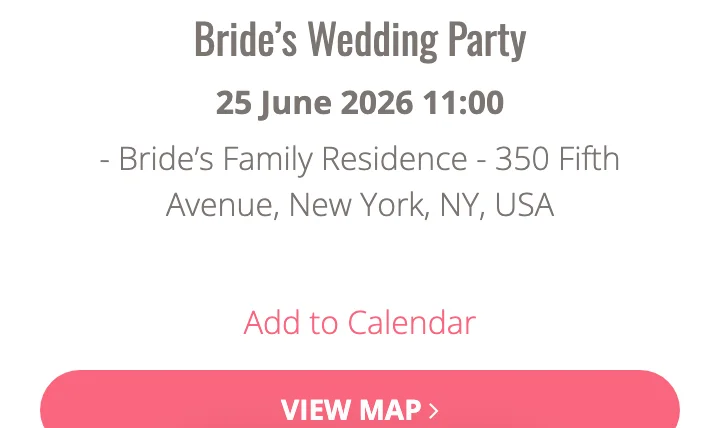
- Every event shows its venue, address, date and time, with an Add to Calendar link and a View map button that opens the venue on a map. Add each location as its own event, whether that's the ceremony, reception or welcome drinks, and the "getting there" part is covered.
- The event section's heading and intro text are editable. Use the intro for a short travel note, for example "Most guests are staying at the Riverside Hotel, 10 minutes from the venue. A shuttle leaves the hotel at 2:30 pm and returns at 11 pm." Keep it to a few sentences.
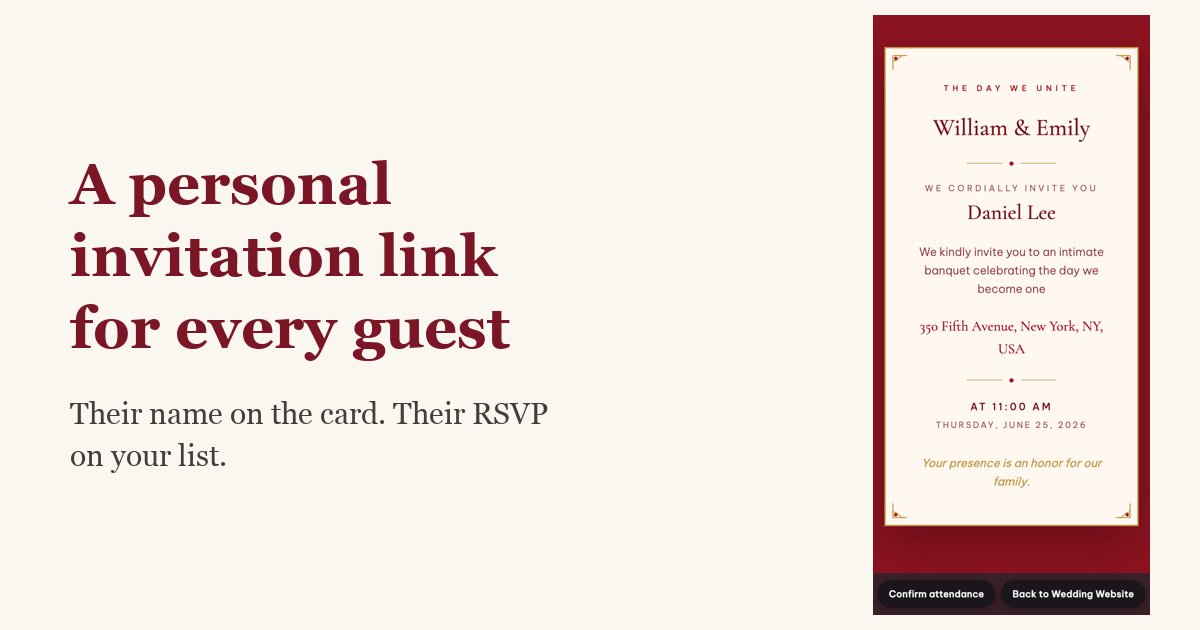
- Send hotel details with the invitation. If you send personalized invitation links to out-of-town guests, add the hotel name, booking code and cut-off date to the message itself. That way the people who need it get it directly.
If a full travel page with several hotels is essential for your wedding, a site builder with a free-form page may suit you better. Many couples keep the event details and RSVPs on their wedding website and put the long travel guide in a shared document linked from the invitation message.
FAQ
When should the travel page go live?
With your save-the-dates, or as soon as you have a hotel block. Guests travelling far tend to book early, and a missing page means they'll book whatever comes up first in a search.
Do I have to set up a hotel room block?
No. A block helps when you expect many guests to need rooms in the same place, or when hotels near the venue fill up quickly. If guests are mostly local, a short list of nearby hotels with travel times is enough.
Should I put the travel information on the invitation too?
Keep paper invitations simple: date, time, venue and your website address or QR code. Put the detail on the website, where you can update it if the shuttle time changes.
Next steps
Build the rest of your site with our free wedding website builder, choose a design from the template gallery, and keep track of who's travelling in your wedding guest list.